I finally tried vibe coding
I've leaned on autocomplete for as long as I've been writing code, so when GitHub Copilot came along with suggestions that actually understood the surrounding file, I was interested. But I was late to the "vibe coding" party. When work handed out Cursor licenses I mostly ignored mine. I felt faster doing things the way I always had, and I wasn't going to gamble a deadline on a tool I didn't trust yet.
Paternity leave changed that. With some time and no deadlines, I decided to properly learn how to work with an AI agent instead of just tab-completing. It went better than I expected. Here's what I built and what I ran into.
Project 1: Personal website (React, GitHub Pages)
I started with my personal website, a small React app on GitHub Pages. The first prompt got me hooked:
"This is my personal website; it looks a bit dated. Can we make it look modern and cool? Specifically, I would like a retro-futuristic theme and a dark mode/light mode button."
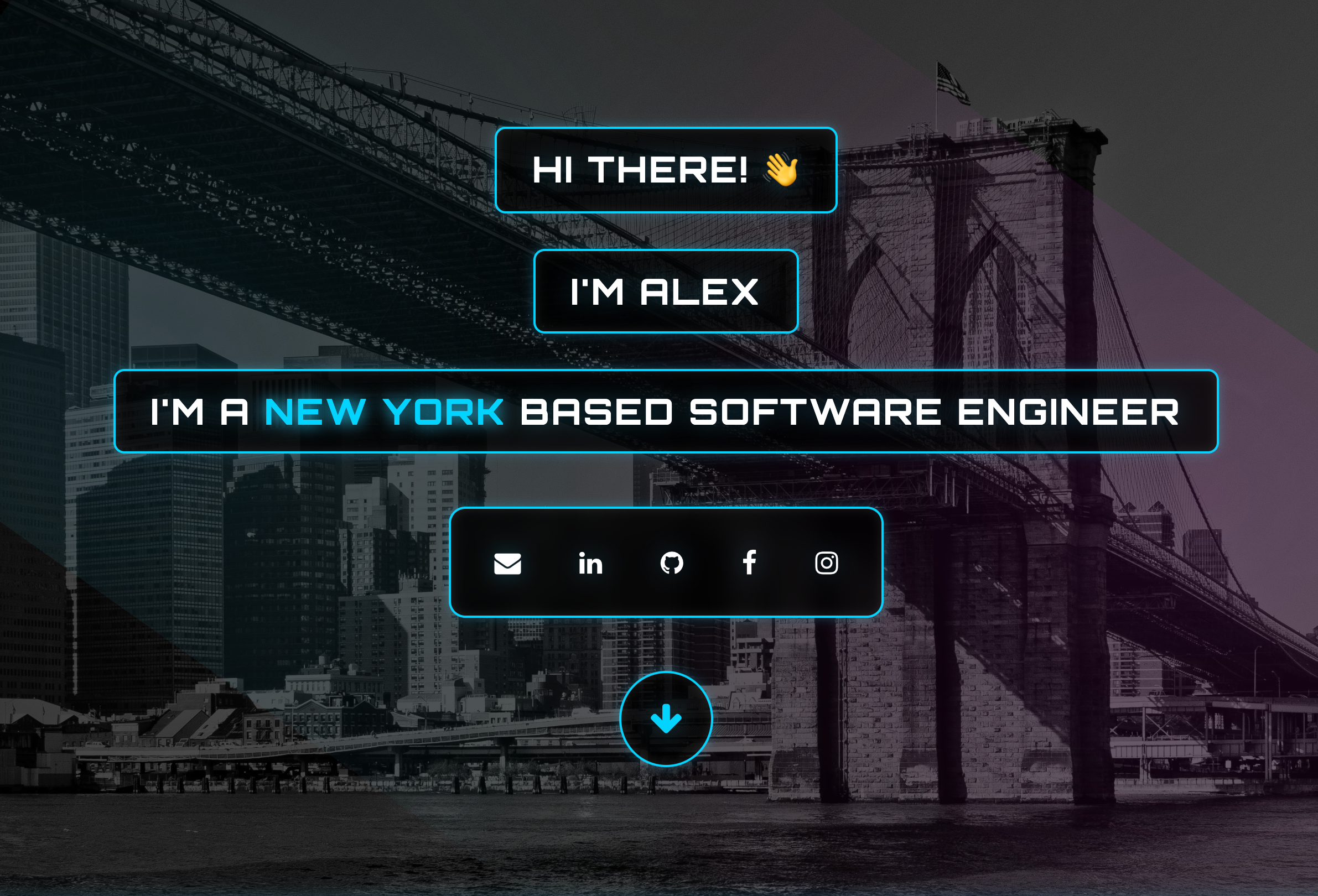
The result was... fine. A bit cartoonish, and "retro-futuristic" turned out not to be my thing. But I could already see where this was going. So I tried again:
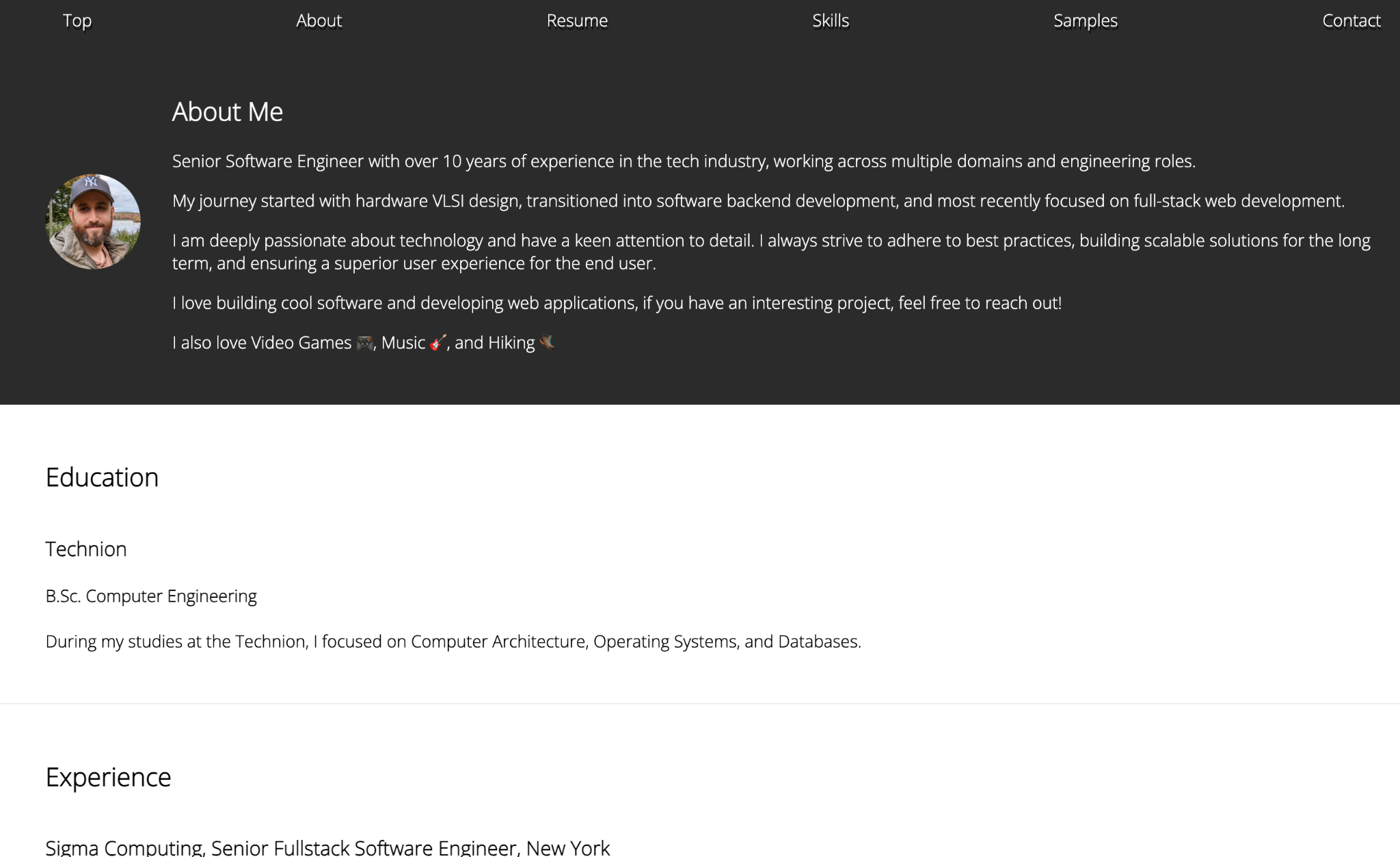
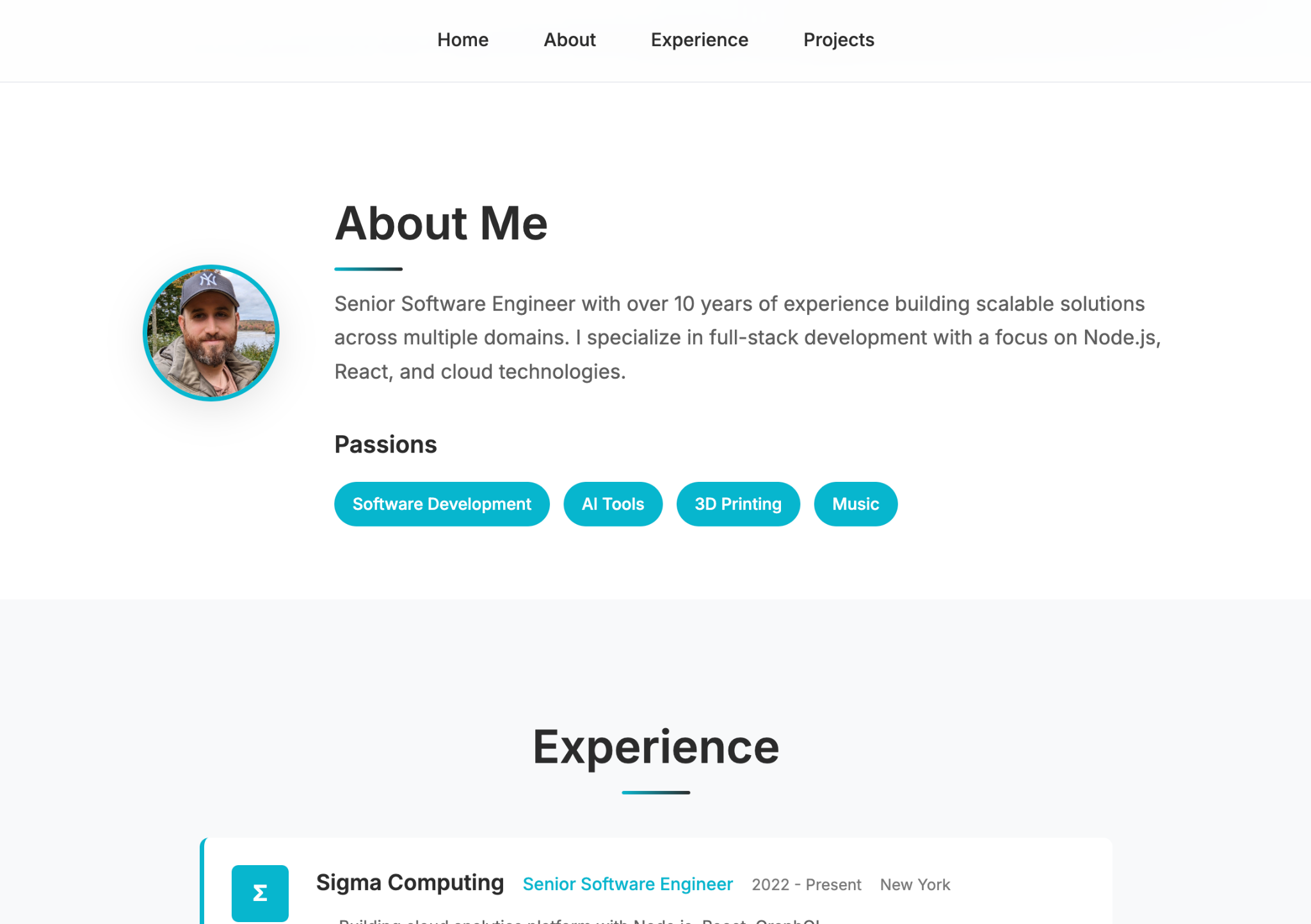
"Actually, make it more professional, minimalistic, and concise, while still surfacing the most relevant information."
And then kept nudging:
- "this section is unnecessary"
- "make the experience part card-based"
- "let's try a dark style"
A few rounds later I had something I liked. What stuck with me was how fun it was. Trying a style, throwing it away, trying another one: that used to be expensive enough that I'd never bother.
| Before | After |
|---|---|
 |  |
Project 2: Wordle clone (React, Firebase)
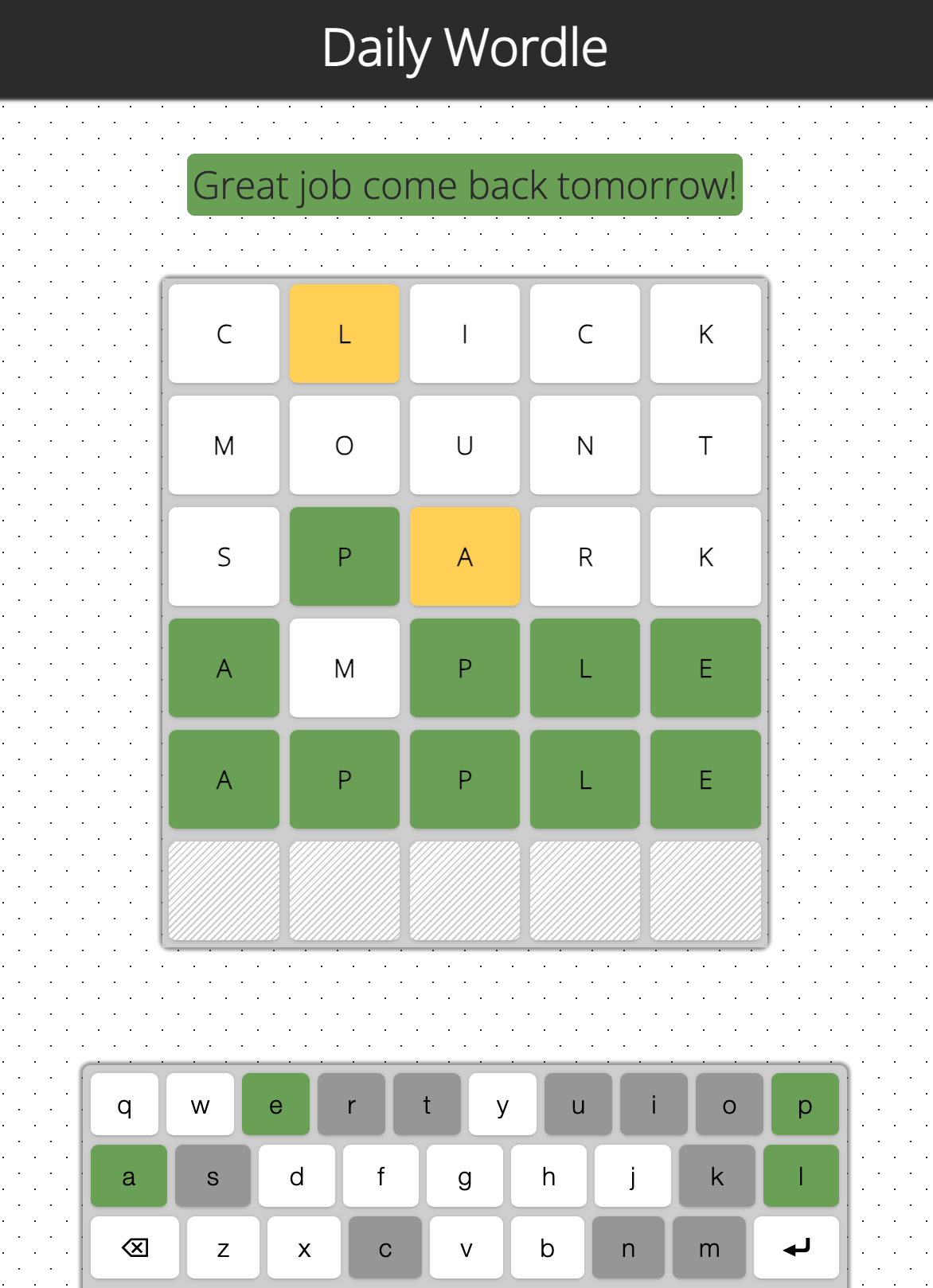
Next up was my Wordle clone, a React and Firebase app with a bit more going on. This time I wanted real features, not just a facelift (though it got one of those too). The original was bare-bones: one word a day, five guesses, everything in browser storage. With the agent I added:
- Profiles: sign in with a Google account.
- Stats: games played, current streak, win rate, guess distribution.
- Leaderboard: rankings across those stats.
- Info: how to play, and an About section.
It even walked me through which Firebase settings to change for the new login flow, which I hadn't expected.
| Before | After |
|---|---|
 | 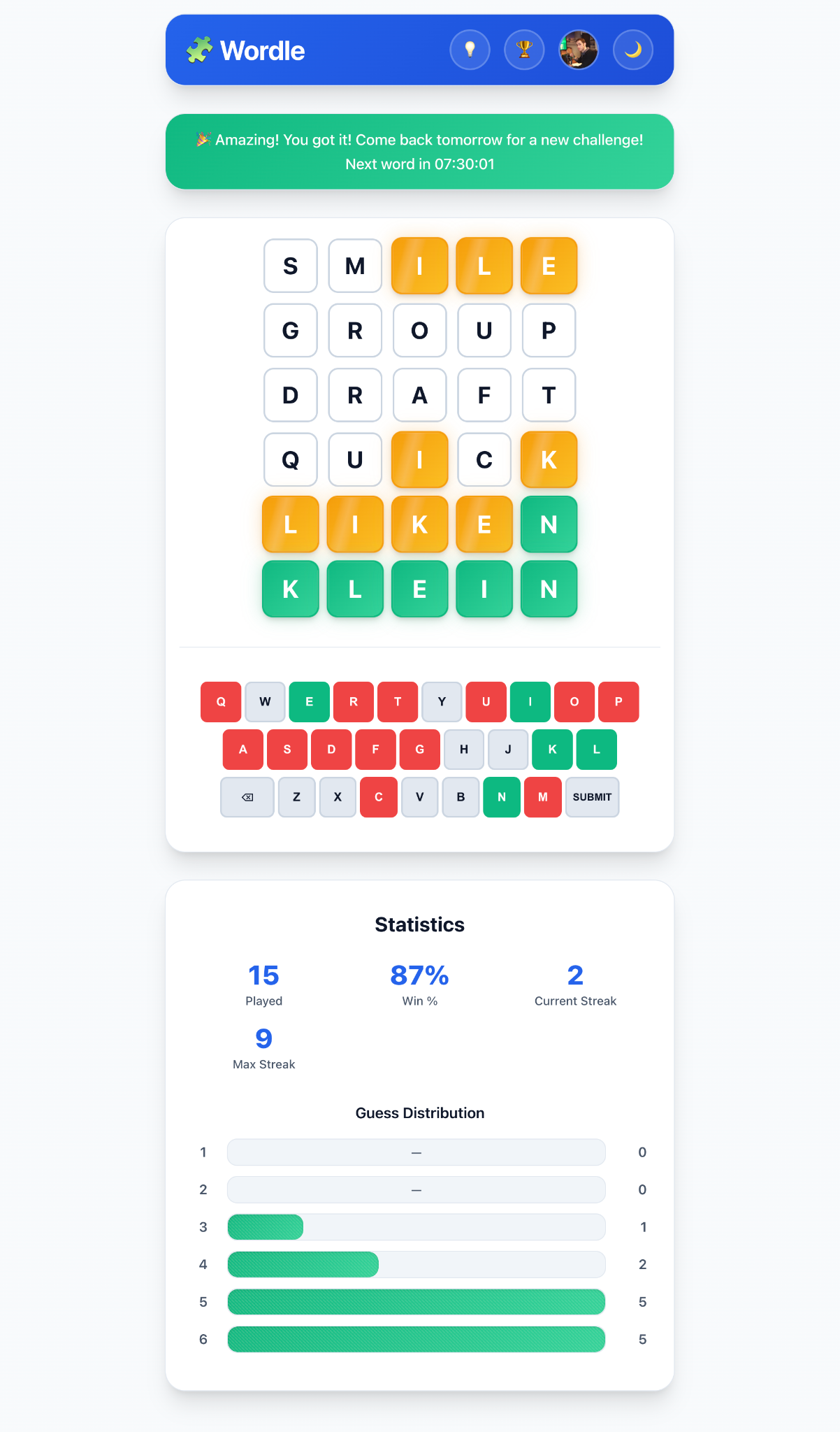 |
This is also where the cracks started to show:
- CSS glitches. Dark mode worked, until I zoomed out and white bars appeared where the dark background should have been.
- Fiddly features. Redesigning the keyboard took several tries. First it landed outside the card, then I had two keyboards.
- Wrong data. The stats were buggy; the guess distribution always showed five guesses no matter what I'd actually played.
- Performance. Moving state to Firebase so it would sync across devices made everything sluggish. I reverted and now only write on submit or refresh.
- Design drift. Every new card, modal, or tab had slightly different shadows, corner radii, padding, or margins.
Every feature got there eventually, but each one needed a few rounds of back-and-forth.
Project 3: ESP32 Wi-Fi clock (C++, PlatformIO)
The last test was my ESP32 dot matrix Wi-Fi clock: C++ on PlatformIO, driving a dot matrix display, with a settings page written in plain HTML and JS.
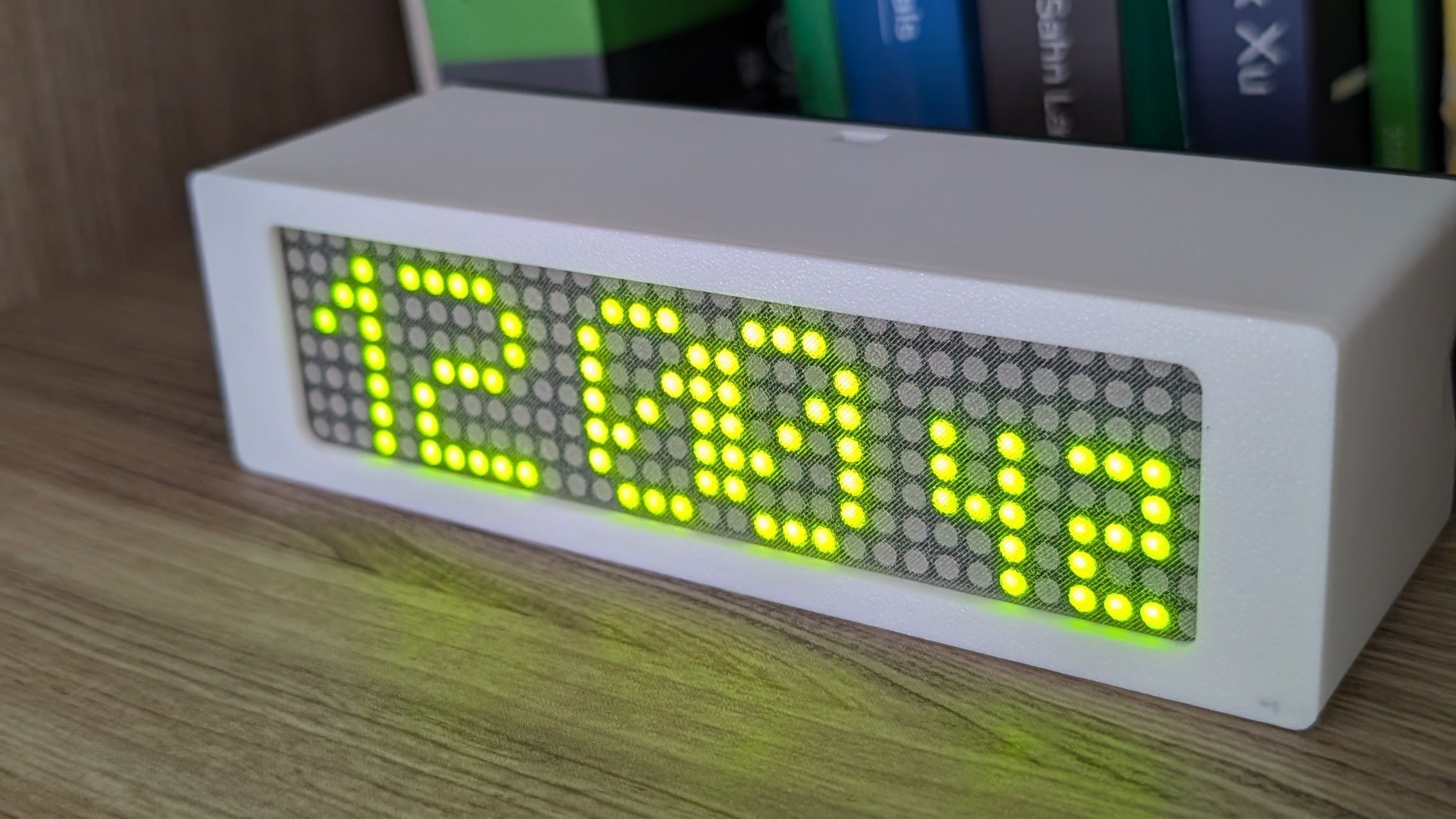
This was a lot harder. Most changes broke something and I had to go in and debug by hand:
- Web page changes that no longer matched the server config.
- Boot sequence edits that stopped the device from turning on at all.
- Settings struct changes that wiped saved data.
- Styling on new elements that didn't match the rest of the page.
Still, I got a lot done:
- Web page: light and dark modes.
- New screens: a countdown, a Matrix-style rain effect, and the device's IP address.
- Display options: screen order and duration, flipped orientation.
- System stuff: mDNS, timezone and weather via the Open-Meteo API, a system info page, reboot and factory reset.
| Before | After |
|---|---|
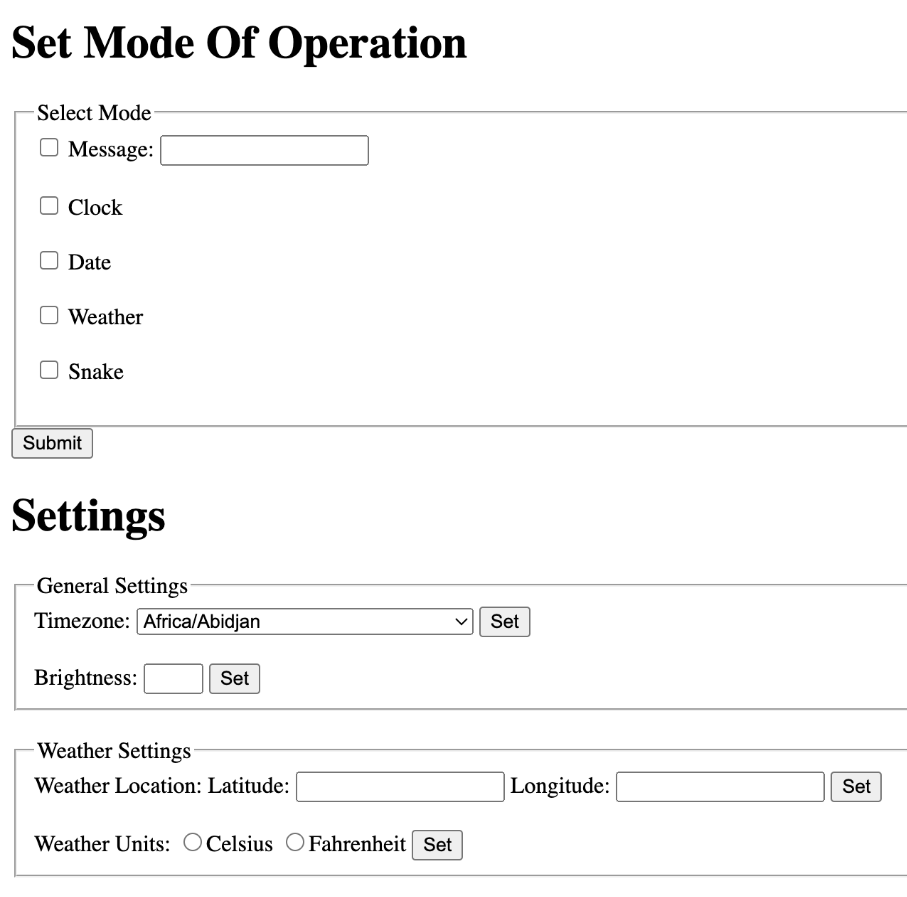 | 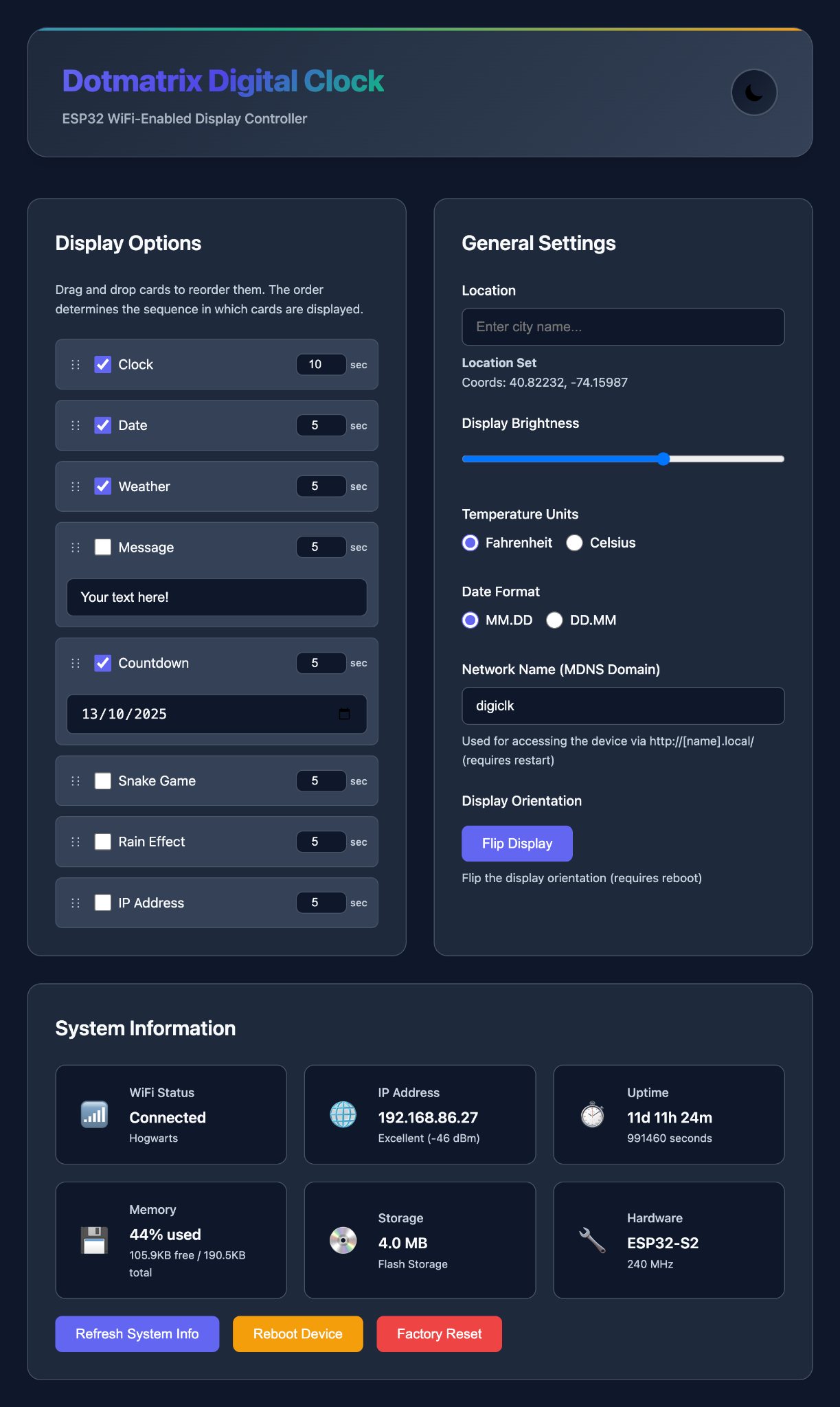 |
What I took away
Where it shines:
- Starting from zero. Bootstrapping a new project or feature is where it feels like magic.
- Small, well-defined changes. Point it at the right file and it usually nails it.
- Cleanup. Removing dead code and unused dependencies, safely.
Where it struggles:
- Consistency. It reinvents patterns unless you tell it exactly which ones to follow.
- Big features. Anything sprawling needs a very specific prompt, and usually a few of them.
- Code quality. The output can be brittle and narrowly fitted to the exact thing you asked for.
A few habits that helped:
- Start a fresh chat often. Long threads drift.
- When it goes sideways, revert and rephrase instead of patching the patch.
- Give it context: name the files and entry points.
- Be very specific. Vague prompts get vague code.
- Put project conventions in
.cursor/rulesso you don't have to repeat them. - Have fun with it. Getting good at this takes some playing around.